
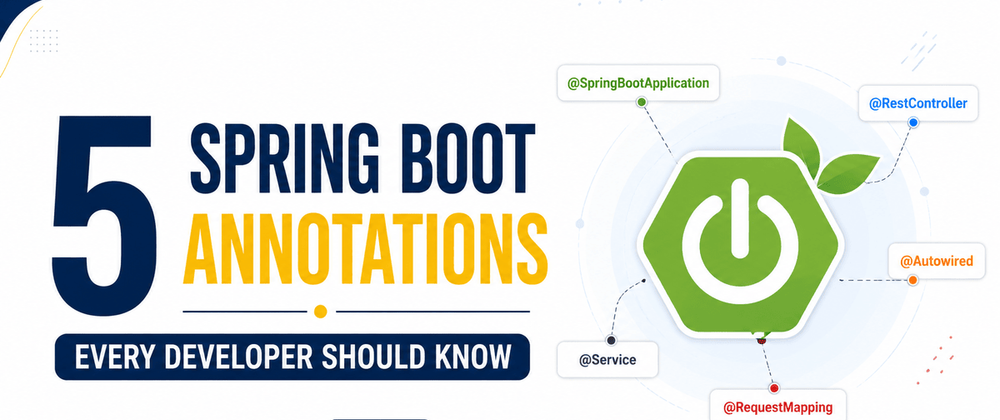

When I first started learning Spring Boot, I made the same mistake a lot of beginners make. I memorized annotations without understanding why they existed. I could copy code from tutorials, but if someone asked me what @RestController or @Autowired actually did, I struggled to explain it.
Over time, I realized something interesting.
You don't need to know dozens of Spring Boot annotations to become productive. In most real projects, I kept seeing the same handful of annotations again and again. Once I understood what they did, reading and writing Spring Boot code became much easier.
These are the five annotations I think every Java developer should know.
1. @SpringBootApplication
If I had to pick the most important annotation in Spring Boot, this would be it.
You'll usually find it in the main class where the application starts.
@SpringBootApplication
public class DemoApplication {

    public static void main(String[] args) {
        SpringApplication.run(DemoApplication.class, args);
    }
}
At first glance, it looks like a simple annotation. Behind the scenes, though, it does quite a bit.
It enables auto-configuration, scans your project for Spring components, and tells Spring Boot where your application begins.
Without it, your project won't know how to wire everything together automatically.
It's one of those concepts that becomes second nature once you've spent some time building real applications during Spring Boot development.
I remember trying to split a project into multiple packages once. Nothing worked because my main class was in the wrong package. It took me longer than I'd like to admit to realize that @SpringBootApplication only scans packages beneath its location.
That was a lesson I never forgot.
2. @RestController
The moment I started building APIs, @RestController became part of almost every project.
@RestController
public class UserController {

    @GetMapping("/users")
    public List<User> getUsers() {
        return userService.findAll();
    }
}
This annotation tells Spring Boot that the class will handle HTTP requests and return data, usually JSON.
Without it, I'd have to add extra annotations just to send responses correctly.
One mistake I made early on was using @Controller instead of @RestController.
The API kept trying to load HTML pages instead of returning JSON.
It seemed like a mysterious bug until I learned the difference.
Now it's one of the first things I check whenever an endpoint behaves strangely.
3. @Autowired
Dependency Injection sounded complicated when I first heard the term.
In reality, it's just Spring Boot creating objects for you instead of making you do it manually.
That's exactly what @Autowired helps with.
Instead of writing this:
UserService service = new UserService();
Spring Boot creates the object automatically.
These days, I prefer constructor injection.
@Service
public class UserService {

    private final UserRepository repository;

    public UserService(UserRepository repository) {
        this.repository = repository;
    }
}
It's cleaner, easier to test, and avoids a lot of problems later.
I rarely use field injection anymore unless I'm working with older codebases.
4. @Service
Whenever I create a new business logic class, I almost always annotate it with @Service.
@Service
public class PaymentService {

    public void processPayment() {
        // business logic
    }
}
I like keeping controllers simple.
A controller should receive a request and return a response.
The actual work, validating data, processing payments, calculating discounts, or talking to repositories, belongs inside service classes.
Separating responsibilities makes the project much easier to understand.
I've worked on projects where controllers contained hundreds of lines of business logic.
Making even a small change became stressful because everything was tangled together.
Using @Service encourages a cleaner structure from the beginning.
5. @GetMapping
If you're building REST APIs, you'll probably use this annotation almost every day.
@GetMapping("/products")
public List<Product> getProducts() {
    return productService.getAll();
}
It maps an HTTP GET request to a specific method.
Spring Boot also provides similar annotations like:
-
@PostMapping -
@PutMapping -
@DeleteMapping -
@PatchMapping
I prefer these dedicated annotations over the older @RequestMapping because they're easier to read.
When I open a controller, I can instantly see which endpoints retrieve data, create data, update records, or delete them.
That small improvement makes code reviews much faster.
Common Mistakes I See Beginners Make
Here are a few mistakes I've seen repeatedly, including some I made myself.
- Using
@Controllerwhen building REST APIs. - Placing
@SpringBootApplicationinside a subpackage, which prevents component scanning. - Putting all business logic inside controllers.
- Using
@Autowiredfield injection everywhere without learning constructor injection. - Memorizing annotations instead of understanding their purpose.
Most of these mistakes are easy to fix once you know why Spring Boot works the way it does.
Final Thoughts
Spring Boot comes with dozens of annotations, but I don't think beginners should try to learn all of them at once.
If you understand these five, you'll already recognize the structure of most Spring Boot applications.
From there, learning annotations like @Repository, @Component, @Bean, @Configuration, and @PostMapping becomes much easier because you already understand how Spring organizes an application.
That was certainly my experience. Once these five annotations finally clicked, Spring Boot stopped feeling like magic and started feeling predictable.






Top comments (0)