
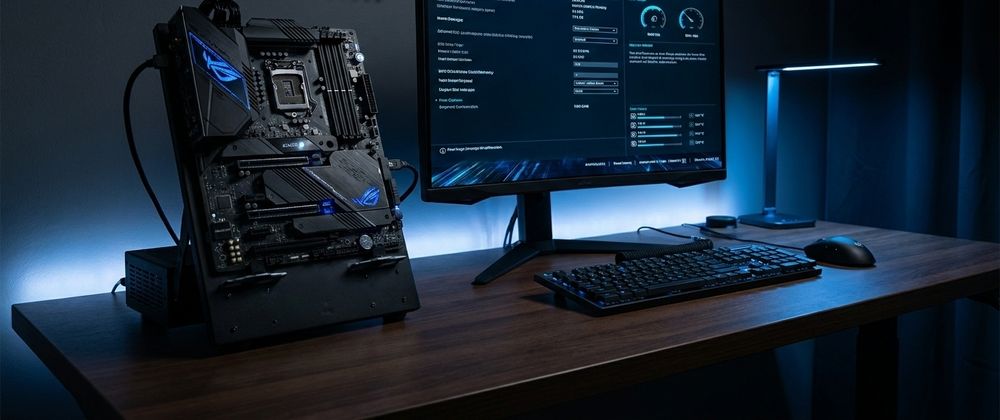

The motherboard is the component that holds a PC together, yet it receives less attention than almost any other part of the system. Most buyers confirm that it supports their processor socket and has enough RAM slots, then move on without looking further. That approach leaves a significant amount of capability sitting dormant inside a piece of hardware they have already paid for. Modern motherboards ship with features that the vast majority of users never enable, configure, or even discover, ranging from performance tools that meaningfully affect system speed to diagnostic capabilities that can prevent costly hardware failures before they happen.
For anyone building or upgrading a system and looking to buy hardware components, understanding the full feature set of a modern motherboard before purchase, rather than treating it purely as a passive connector between other parts, changes how much value that investment actually delivers. The difference between a motherboard used only for its basic functions and one whose full feature set is properly configured can be the difference between a good system and a genuinely excellent one.
BIOS-Level Performance Tuning Most Users Never Touch
Every modern motherboard ships with a UEFI BIOS interface that contains far more than the basic settings most users ever configure. Beneath the simplified mode that most manufacturers present on first boot lies an extensive set of tuning options that directly affect system performance in measurable ways.
Memory XMP or EXPO profiles are among the most commonly overlooked. RAM purchased with high-speed ratings, whether 5600MHz or 6000MHz DDR5, ships running at a conservative base speed by default to ensure compatibility across different systems. The rated speed only activates when the XMP or EXPO profile is manually enabled in BIOS. Users who never enable this profile are running memory at a fraction of the speed they paid for, often without realizing the difference.
CPU power limits are another area where default BIOS settings frequently constrain performance below what the hardware can deliver. Many motherboard manufacturers ship with conservative power delivery limits that prevent the processor from sustaining its full boost behavior under prolonged loads. Enthusiast-oriented BIOS settings allow these limits to be raised, enabling the processor to operate at its full thermal design specification for extended workloads.
PCIe Lane Configuration and Bifurcation
Most users connect a GPU to the primary PCIe x16 slot and leave the remaining slots empty or use them for a single add-in card without considering how PCIe bandwidth is actually being managed. Modern motherboards support PCIe bifurcation, a configuration option that allows a single physical slot to be split into multiple logical connections, enabling multi-drive NVMe expansion cards, multi-GPU setups, or high-bandwidth capture and networking cards to operate at full efficiency.
Additionally, not all PCIe slots on a motherboard operate at the same speed. Secondary slots on many motherboards run at PCIe x4 or even x1 bandwidth rather than the full x16 available at the primary slot. Understanding which physical slots provide which logical bandwidth, and placing devices accordingly, meaningfully affects storage and add-in card performance in ways that are invisible to users who assume all slots are equivalent.
Built-In Fan Control Capabilities
Modern motherboard fan headers are substantially more capable than simple power connectors for cooling fans. Most current-generation motherboards support both voltage and PWM-controlled fan headers, allowing granular control over fan speed curves tied to multiple temperature sensors across the system. Advanced fan control software, available through the motherboard manufacturer or BIOS directly, allows users to create temperature curves that balance cooling performance against noise levels across different workload states.
The practical value of this is significant. A system configured with intelligent fan curves runs quieter during light workloads and ramps up cooling capacity precisely when sustained heavy workloads demand it. Default fan configurations from motherboard manufacturers tend to be either too aggressive for everyday comfort or too conservative for sustained performance, and the built-in tuning capabilities that allow optimization for specific use cases go largely unused by the majority of owners.
Integrated Debugging and Diagnostic Tools
High-end and mid-range motherboards often include diagnostic features that most users never think to check until something goes wrong. POST code displays, small LED or numeric readout panels on the motherboard itself, report numeric codes during system boot that identify exactly which stage of the initialization sequence a system is reaching before a failure or hang. These codes are invaluable for diagnosing systems that fail to boot but show no other visible symptoms.
Q-LEDs, colored indicator lights aligned to specific subsystems like CPU, DRAM, GPU, and storage, provide a rapid visual indication of which component is preventing a successful boot. Without these indicators, diagnosing a failed boot requires systematic component removal and reseating. With them, the failed component is identified in seconds.
Some premium motherboards also include onboard buttons for BIOS reset, direct memory training, and even built-in voltage measurement points for enthusiast overclockers. These features add meaningfully to the diagnostic and maintenance capability of the system for anyone willing to learn what they do.
Network and Audio Features Beyond the Basics
The integrated networking and audio hardware on modern motherboards has advanced substantially beyond the basic functionality that early integrated components provided. Many current-generation motherboards ship with 2.5G or 10G Ethernet controllers rather than the standard 1G ports that dominated for years, providing meaningfully faster transfer speeds for large file operations across local networks without the need for a separate network card.
Integrated audio solutions on premium motherboards now include high-fidelity DACs, dedicated headphone amplifiers capable of driving high-impedance headphones directly from the rear panel, and audio capacitor layouts physically isolated from the rest of the board to reduce electrical interference in the audio signal path. For users who have been purchasing separate audio interface hardware without investigating what their motherboard already provides, the integrated audio capability on many current boards eliminates the need for that additional investment.
BIOS Flashback and Recovery Features
One of the most practically useful features on many modern motherboards is BIOS Flashback, a capability that allows the motherboard firmware to be updated without a compatible processor installed. This matters most when a new CPU generation is released that requires a firmware update before the motherboard will recognize it. Without Flashback, a user purchasing a new processor for an existing motherboard might discover the board does not boot because the current firmware predates the CPU, with no way to update without borrowing a compatible older processor.
BIOS Flashback eliminates this dependency by allowing the firmware update to be loaded from a USB drive with the board powered but completely unpopulated. It is also the recovery mechanism of last resort when a failed firmware update leaves the board in an unbootable state, making it one of the most valuable reliability features on any platform supporting multiple processor generations.
Final Thoughts
A modern motherboard is a far more capable piece of hardware than its role as a passive connector between components suggests. XMP profile configuration, PCIe bifurcation, intelligent fan control, integrated diagnostics, high-fidelity audio, and BIOS recovery features are all capabilities that the hardware already contains and that cost nothing to use once understood. The users who take the time to explore the full feature set of their motherboard consistently extract more performance, better reliability, and lower system cost from a component that most treat as an afterthought.






Top comments (0)