

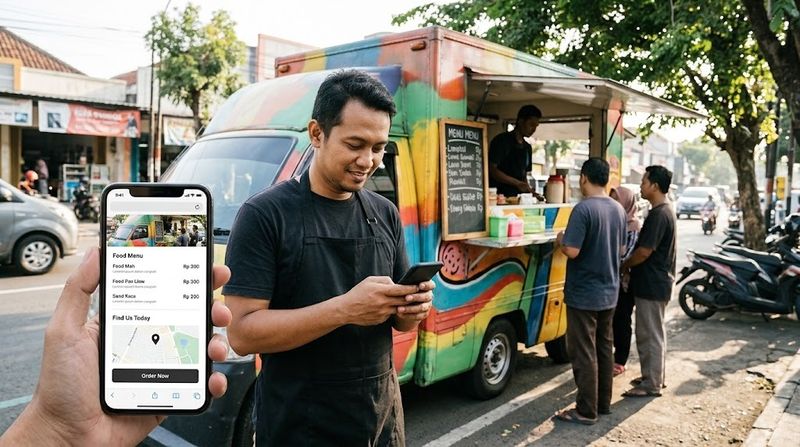
Watch what happens during any lunch rush. People pull out phones, type in a truck name, and scan the results. An outdated page with no menu pushes them toward the competition. That outcome repeats daily across every city with street food culture.
The typical instinct is to request a sprawling site — full ordering systems, weekly blogs, flashy animations. Owners spend thousands and then never log in to make changes. Within months, the site looks abandoned, which defeats its entire purpose.
A disciplined approach produces better results for less money. Define what the page must do, eliminate everything else, and keep the budget below five hundred dollars.
Your Site Exists for Exactly Three Questions
Every element should serve one goal: give a hungry stranger enough information to show up. Nothing beyond that matters.
A person checking their phone outdoors needs answers to three specific questions before pocketing the device. What does this truck sell? Where is it parked today? How do I place an order?
Those answers must appear in the first screenful of content. Scrolling for basic information loses visitors instantly.
This framing eliminates most feature requests before they become expensive line items. Affordable web design follows a simple principle: build only what directly answers those three questions, and maintain those answers rigorously. Everything else either distracts or adds cost without generating customers.
Five Building Blocks That Pull Their Weight
The menu. Format it as plain text — item names, prices, brief descriptions, allergen information where relevant. PDFs are a common trap. Mobile browsers often fail to render them, and crawlers extract nothing from within a PDF file, which means your carefully designed menu document generates zero search visibility.
The weekly schedule. No other section matters as much. A simple text list of stops for the current week will outperform any interactive map embed. Visitors checking between meetings want "Broadway & 5th, 11am–2pm" — not a widget requiring pinch-to-zoom. Update this section on the same day each week. A visitor who spots a schedule from last month stops trusting every other detail on the page.
Food photographs. Shoot them yourself with a phone camera. Capture items straight from the grill, the fryer, or the prep surface. Diners want to see what actually arrives on their tray, not a stylized studio arrangement. Twelve candid phone photos outperform one professionally lit hero image every time.
Contact information. One method, displayed prominently. Phone number, email address, or a short form — any single channel works. Catering inquiries, event bookers, and status questions ("are you open right now") all arrive through this point. Keep the details visible without hunting.
An ordering link. If you already use Square, Toast, ChowNow, or any similar payment processor, link directly to that system. Building checkout functionality from scratch exposes you to security and compliance obligations that belong to payment companies, not food operators.
Features That Burn Cash Without Paying Back
Blogs. Almost no food truck operator maintains a writing schedule. An "Updates" section with a single post from eighteen months ago looks worse than having no section at all. Omit it unless you genuinely enjoy writing and can commit to a realistic cadence.
Logo animations. That spinning graphic cost real money. That same money buys a better camera for food photography or a spare propane tank. Customers have never chosen a lunch spot based on motion graphics.
Team pages. Biographical sketches belong to full-service restaurants introducing sommeliers. Truck visitors arrived hungry, not curious about career histories. Your food photos tell the relevant story.
Custom-built ordering. Third-party processors manage encryption, fraud detection, and regulatory updates on your behalf. Rebuilding those systems means absorbing every ongoing obligation that comes with them. That is a full-time job you did not apply for.
Complex content management systems. Editing a weekly stop list does not require enterprise software. A simple builder offering click-to-edit text blocks accomplishes the task efficiently. Fewer controls means fewer opportunities to accidentally disrupt something critical during peak hours.
Hiring Help Without Wasting Money
The freelance marketplace has made professional assistance more accessible than at any point in the past decade. Independent contractors on platforms like Upwork and Fiverr routinely produce polished single-page sites within the two-to-four-hundred-dollar range. The key variable is not the platform — it is the client's preparation level.
Preparation prevents costly delays. Before reaching out to anyone, write your complete menu, take ten decent phone photographs, and settle on a domain name. Contractors who receive organized materials on day one spend their hours building rather than waiting. Clients who arrive empty-handed pay for the discovery process that follows.
Once content exists, specifying the deliverable becomes straightforward. Ask for a single-page layout hosted on a platform you can edit without technical assistance — Squarespace, Wix, and Carrd all satisfy this requirement. The acceptance test: schedule a location change for next Tuesday, then execute it yourself on a phone.
One common misconception deserves addressing. Many owners assume that seeking a cheap website designer means compromising on quality. In practice, a disciplined scope handed to an experienced freelancer produces results comparable to expensive agency engagements — because the expensive part of any project is rarely the labor itself. Clear requirements, complete content, and defined revision limits accomplish more than an inflated budget ever will.
Building It Yourself: Current Tools Reviewed
The do-it-yourself path has matured significantly. Today's affordable web design platforms produce professional-looking results without requiring technical backgrounds. The gap between owner-built and contractor-built sites has narrowed dramatically.
Carrd sits at the most economical tier — roughly nineteen dollars per year. It accommodates a single scrolling page containing your menu, schedule, and ordering link. For a solo truck with no immediate expansion plans, nothing else competes on price.
Squarespace charges between sixteen and twenty-three dollars monthly. The higher price buys more template options, better typography, and room to add pages as your operation grows — a catering section, perhaps, or a second truck's schedule. Wix occupies similar pricing with a gentler learning curve and templates that look slightly less refined. Either produces a credible result.
Google Sites provides a free option that handles basic single-page needs. The limitation is a Google-branded URL that may not inspire confidence in every visitor. Separately, domain names cost approximately twelve dollars a year through registrars like Namecheap or Cloudflare. Buy your domain directly rather than bundling it through a hosting provider — the price difference is noticeable.
Breaking Down the Budget
Here is a realistic allocation for five hundred dollars. The domain costs about twelve dollars annually. Builder subscriptions range from nineteen dollars a year on Carrd to roughly two hundred seventy-six for a full year of mid-tier Squarespace.
Contracting out the initial build typically runs two hundred to three hundred fifty dollars. That number decreases when your content arrives organized — menus written, photos shot, domain registered. A cheap website designer working from a complete brief spends fewer hours in discovery and more on construction, which keeps the final invoice proportionate to actual work performed.
Photography requires no budget if you shoot images yourself. Alternatively, hiring a local student for an afternoon costs fifty to a hundred dollars and often yields better results than rushed phone work during a busy service.
Totaling these lines produces a realistic range of two hundred thirty to seven hundred forty, depending on which combinations you choose. The conservative path — Carrd, self-shot photos, tight scope — stays under three hundred dollars with hosting covered through year-end. Squarespace paired with professional help lands around six hundred.
The recurring mistake remains overinvestment. A two-thousand-dollar custom build and a three-hundred-dollar Carrd page perform identical functions: display a menu, show a location, route to ordering. The custom version simply introduces more potential failure points.
The Essential Takeaway
A food truck website functions as a directory listing with personality. It is not a marketing engine, a brand experience, or a growth campaign. It is a signpost pointing hungry people toward your window.
Keep the structure lean, maintain the schedule weekly, and hold total expenditure under five hundred dollars. Redirect remaining budget toward ingredients, fuel, and generator maintenance. Those investments generate repeat customers far more reliably than any feature you could add to a homepage.







Top comments (0)