
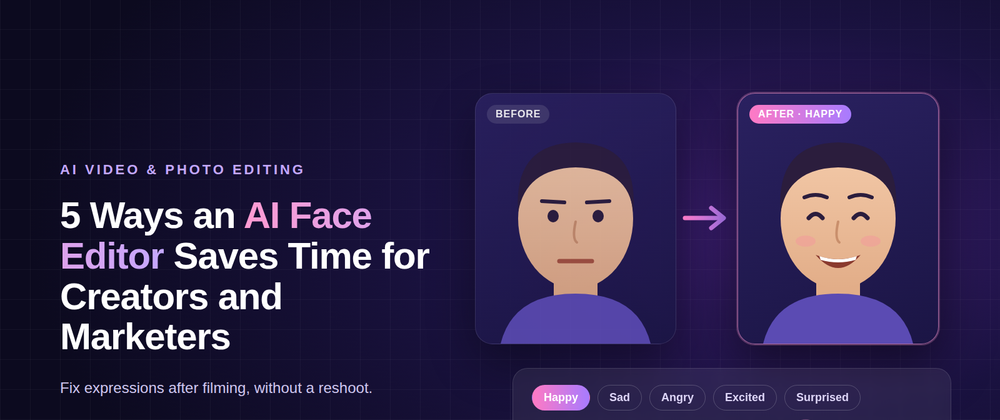

Ask any creator what slows them down and you will hear a familiar answer: retakes. The product shot is perfect but the smile looks forced. The tutorial is clear but the presenter looks bored halfway through. Fixing these moments has usually meant setting up, filming and editing all over again.
AI is changing that. New face editing tools let creators adjust expressions after a video or photo has been captured, without touching anything else in the frame. Here are five ways this saves time for creators, marketers and small teams.
- Fixing a Take Instead of Reshooting It
When a delivery doesn't land, the traditional fix is to film it again, which means rebooking talent, resetting lights and hoping the next take is better.
An [AI Face Editor] like DRAMA by SyncMonster offers another option. You upload the video or image, choose the expression you need and let the tool adjust only the face. Lighting, framing, background and sound stay exactly as they were. A take that was 90% right no longer has to be thrown away because of one flat moment.
For solo creators, this saves hours each week. For brands paying for studio time, it can save an entire reshoot day.
- Matching the Mood to the Message
A product launch should feel exciting. A customer apology should feel sincere. But people on camera don't always deliver the exact emotion the script calls for.
DRAMA offers core emotions such as happy, sad, angry and excited, along with presets like surprised, serious, evil and intimidating. You can also blend emotions to create nuanced states such as nervous excitement or quiet determination. For marketers, this means creating emotional variations of an ad from a single shoot.
- Getting the Intensity Just Right
Sometimes the expression is right but the strength is wrong. A smile that is too big can look fake; a serious look that is too intense can feel cold.
An intensity slider solves this. You can dial in a subtle warmth or push a reaction further for dramatic effect, giving creators fine control that used to need a director and multiple takes.
- Editing One Person in a Group
In a team photo, podcast clip or co-hosted video, someone is almost always caught with the wrong expression. DRAMA lets you select a single face and edit it on its own, leaving everyone else untouched. For agencies handling client photos, event recaps or interviews, that can be the difference between a usable asset and another shoot.
- Helping Camera-Shy Creators Show Up
Many creators, founders and small business owners avoid video because they worry about looking stiff or nervous. Knowing that a tense expression can be softened, or a hesitant delivery made to look more confident, makes it easier to hit record. For people building a personal brand, that can mean posting more often and connecting with audiences more consistently.
- Works Across Video, Images and Animation
DRAMA works with MP4, MOV, JPG and PNG files, and handles both live action and animated characters. The workflow is simple: upload your file, choose an expression and intensity, then preview and export. A free plan lets creators try it on their own footage first.
- A Note on Using It Responsibly
Expression editing should be used with care. Get consent from the people in your content, use edits to support the creative intent rather than to mislead, and be open about editing where your audience would expect it. Used this way, it sits alongside colour grading and retouching as a normal part of post-production.
- Conclusion
Retakes have long been one of the biggest time drains in content creation, and often the only problem is a single expression. An AI face editor changes that. By letting creators adjust emotion, fine-tune intensity and edit one person in a group shot, it turns a reshoot into a quick fix while keeping everything else in the frame intact. For creators, marketers and small teams, that means faster turnaround, lower production costs and more control over how their content feels. As the technology matures, editing a performance may soon feel as routine as trimming a clip or adjusting the colour.







Top comments (0)