
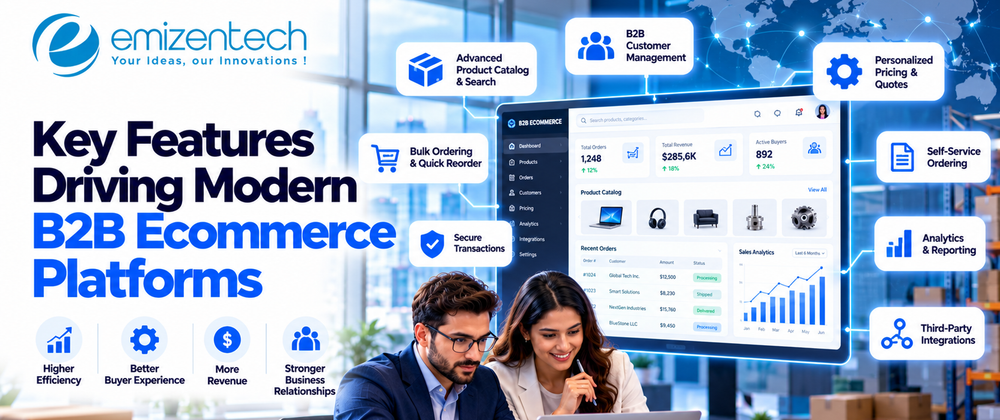

A buyer at a mid-sized distributor needs forty replacement parts by Friday. She can log into a portal that already knows her prices, or she can email someone and hope they reply before Thursday afternoon. She'll take the portal every time. So would I.
That's the real pressure on B2B Ecommerce Platforms right now. It isn't a trend or a buzzword. Buyers got used to easy, and they won't go back. Below are the features that make a modern platform worth using, plus a couple that sound better in a sales pitch than they work in practice.
The Shift Toward Modern B2B Ecommerce Platforms
Most B2B buyers do their homework online before they ever talk to sales. Plenty never talk to sales at all. If you want to see how far that has gone in one sector, this guide on B2B ecommerce for manufacturers is worth ten minutes. Portals, ERP links, and account-level pricing show up there as basics, not bonuses.
Older platforms weren't built for this. They assumed one shopper, one cart, one price. B2B doesn't work like that. You get three people on one account, an approval step nobody mentioned in the kickoff meeting, and a monthly reorder that should practically run itself. Modern B2B ecommerce platforms are built around that mess instead of pretending it isn't there.
Key Features of Modern B2B Ecommerce Platforms
Vendor feature lists run to fifty items. Most projects live or die on about eight of them, and those are below. I've put them roughly in the order a buyer meets them, from first login to scaling up later.
Self-Service Buyer Portals
Start here. If a buyer can't find an old invoice without emailing someone, the portal isn't finished.
A decent one covers order history, invoices, shipment tracking, one-click reorder, and account details. Boring stuff, but it keeps routine questions out of your support inbox.
Roles are where portals really get tested. The person who orders usually isn't the one who approves, and neither of them pays the bill. That means one company account with three logins and three sets of permissions. Skip this and your bigger accounts will notice fast.
Customer-Specific Pricing and Catalogs
Price lists are a nightmare in B2B, and there's no way around it. One buyer has a contract rate. Another gets a volume tier. A third has a deal from two years ago that nobody wrote down properly. The platform has to hold all of it, show the right number after login, and apply discounts at checkout with no spreadsheets involved.
Catalogs follow the same logic. Some buyers see approved products only, while a few get access to a special line. It keeps negotiated pricing private and saves people from scrolling past things they can't buy. Pricing disputes drop too, which your finance team will quietly appreciate.
Bulk Ordering, Quick Order Forms, and Quote Management
Nobody wants to add 200 SKUs one at a time. Quick order forms, CSV upload, and saved lists are simple, and they save more time than almost anything fancier. Paste in the part numbers, check out, and you're done in minutes.
Quotes are the other half. A lot of B2B deals get negotiated, so the buyer asks for a quote, sales answers, and the accepted quote becomes an order without anyone rekeying it. Add PO numbers, approvals, and recurring orders, and repeat buying gets much less painful.
Deep ERP, CRM, and Third-Party Integrations
A store that doesn't talk to your ERP is a problem you've scheduled for later. Stock, pricing, customer records, and shipping data all live somewhere else. Without a connection, somebody retypes it, and eventually a buyer sees stock that isn't there or a delivery date that's wrong.
Good platforms sync through APIs and ready-made connectors, live. If I could only check one thing on a vendor's list, it would be this one. It decides how well the store fits the way your team already works.
Flexible Payment and Credit Options
Almost nobody buying for work pays with a personal card. They use net 30, purchase orders, bank transfers, ACH, or credit lines. The platform has to take whatever the buyer normally uses, and ideally show their available credit at checkout.
Partial payments, invoice billing, tax exemptions, and multiple currencies matter once you sell across borders. The point is simple. If paying online is awkward, big orders drift back to email.
AI-Driven Personalization and Smart Search
I'm a bit tired of the AI talk, but search is one place where it genuinely helps. Decent smart search understands part numbers, synonyms, and sloppy descriptions, so "half inch brass elbow" finds the right thing. Recommendations can suggest matching parts or offer an alternative when something's out of stock.
Predictive features are a nice extra, like spotting when an account usually reorders or has gone quiet. They're not essential on day one, though. If a vendor leads with them, ask about search and integrations first.
Analytics, Reporting, and Mobile Access
Dashboards only matter if somebody opens them. The useful ones show sales by account, top products, order frequency, average order value, and quote conversion. That's enough to adjust pricing and spot who's ready for an upsell.
Mobile gets ignored more than it should. Procurement managers and field reps are rarely at a desk, and approving a purchase from a phone in a warehouse is a normal Tuesday. A responsive site does the job. A full app is optional.
Headless Architecture, Scalability, and Security
Catalogs grow, customer lists grow, and the platform shouldn't slow down when they do. Headless setups separate the front end from the backend logic, so you can redo the storefront or add a channel without rebuilding everything underneath. That helps with mobile apps, punchout catalogs, marketplaces, and extra regional sites.
It's not for everyone, though. Smaller catalogs often run fine on a standard setup, and headless adds cost.
Security isn't optional. Contracts, pricing, and payment data all sit in there, so look for encryption, role-based access, audit logs, and PCI compliance. Uptime matters too. A store that's down the morning your biggest buyer reorders costs more than the repair bill.
Why B2B Ecommerce Development Needs the Right Expertise
Features are the easy half. Building them properly is where projects wobble. B2B ecommerce development means wrestling with tangled pricing rules, integration mapping, permissions, and big catalogs that still have to load fast. Templates rarely stretch that far, and a sloppy setup usually means an expensive redo six months in.
If you're still at the planning stage, the smart move is to hire dedicated ecommerce developer support from day one, ideally someone who already knows how B2B selling works, not just the tech stack. A dedicated person stays on your roadmap, learns your workflow, and adjusts when requirements shift. That counts for a lot during migrations, module rollouts, or whenever another system needs connecting.
Conclusion
Strip it all down and the best B2B Ecommerce Platforms do a few things well. Buyers can help themselves, they see the right price, big orders go through fast, the store syncs with the back office, payment works the normal way, and the site stays up. None of that is glamorous, but all of it cuts manual work. If you're building something new or fixing an old setup, a technology partner like EmizenTech can help turn this list into something that holds up in daily use.
Frequently Asked Questions
1. What are B2B ecommerce platforms?
They're software that lets one business sell to another online. Compared with a regular online store, they handle negotiated pricing, bulk orders, multi-user accounts, quotes, and payment terms.
2. Which features matter most in modern B2B ecommerce platforms?
Self-service portals, customer-specific pricing, quick order forms, quote management, ERP integration, flexible payments, good search, and solid security. How you weigh them depends on your industry and how your buyers actually order.
3. How are B2B platforms different from B2C ones?
B2C is one shopper, one cart, one fixed price. B2B involves company accounts with several users, contract pricing, approval steps, large orders, and invoice-based payment. That makes the build a lot more complicated.
4. Why does ERP integration matter so much?
It keeps stock, prices, orders, and customer data in sync. Without it, people retype data, mistakes creep in, and buyers see wrong availability or delivery dates.
5. How long does B2B ecommerce development take?
It depends on scope. A standard platform can take a few months. Custom pricing logic, several integrations, and a headless setup can stretch that out. Clear requirements and a focused team keep the timeline realistic.







Top comments (0)