
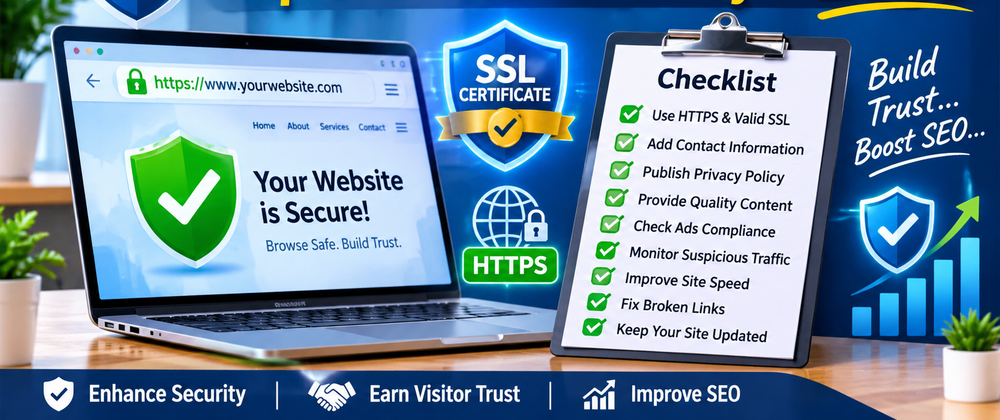

Website safety is an important part of building trust, maintaining search visibility, and providing a better experience for visitors. A safe website should have clear business information, secure connections, transparent policies, and useful content. In 2026, website owners also need to pay attention to advertising compliance, suspicious traffic, and misleading redirects. Following a Safe Page Checklist can help improve website quality, protect visitors, and create a more trustworthy online presence.
Whether you manage a business website, landing page, blog, or advertising campaign, reviewing important website elements regularly can help prevent common problems.
1. Use HTTPS with a Valid SSL Certificate
You need HTTPS to ensure the connection between your website and visitors is secure. Encrypting the transfer of data using HTTPS ensures
- sensitive information is not compromised.
- Before you launch your website, check:
- That you have a valid SSL certificate.
- That all HTTP pages redirect to HTTPS.
- That you have no mixed content.
- That your SSL certificate is valid.
- That important pages on your site load securely. Using HTTPS gives visitors the confidence to provide you with the information you need.
2. Include Business Contact Information
It is essential to include clear contact information for the business on your website to assuage the uncertainty of potential customers about the legitimacy of the business.
- You should consider providing:
- A business email address.
- A contact form.
- The business physical address.
- Hours of operation. Your social media profiles if you are actively using them. Update your profiles with correct information. Do not use your business social media profiles to post fake addresses or phone numbers.
3. Publish Privacy Policy and Terms of Service
Policies explain how a website handles visitor information and website usage.
Privacy policies must disclose how the website uses, stores, and shares visitor information, including cookies and other tracking technologies.
Terms of Service must define the rules and conditions of using the website.
Depending on your business, you may also need to create policies on shipping, returns, and cookies.
All of these pages help visitors understand how they can use your website.
4. Provide Valuable and Unique Content
Copied content, excessive advertisements, false or misleading information, and unrelated content to a website can adversely impact a user’s experience.
Improve the quality of your content by:
- Adding useful information that is unique to your site.
- Answering the most common questions visitors have.
- Using short paragraphs with descriptive headings.
- Checking and correcting spelling and grammar.
- Updating information that has lost its relevance. Avoid using misleading information to make claims about your products and services. When comparing or reviewing products, include sufficient information to justify your claims and conclusions.
5. Check Landing Pages and Advertising Compliance
Google Ads and other advertising platforms will evaluate your ads and the pages you direct visitors to to ensure they comply with their advertising policies.
It is the website owner’s responsibility to ensure landing pages accurately represent the advertised offer.
Landing Page Quality Checklist
When evaluating the quality of landing pages, consider the following:
- Has the advert message been accurately conveyed on the landing page?
- Are there no misleading claims or hidden offers?
- Are prices and other conditions clearly stated?
- Is the navigation function working properly?
- Are there no deceptive redirects?
- The goal of a landing page should be to effectively communicate and represent the product or service being offered.
- Understanding Cloaker Ads and Google Ads Cloaker
The term "cloaker ads" may refer to systems that filter advertising traffic to different visitors and display different content to each. Using cloaking to show an advertising reviewer different content than that seen by users will be in violation of that advertising platform’s policies.
A Google Ads cloaker should not be used to mask prohibited content, misrepresent advertisements, or to avoid enforcement action by Google. Ideally, the focus should be on complying with the advertising platform’s policies.
6. Monitor Suspicious Traffic and Bot Activity
In addition to website visits from actual people, sites may also experience visits from bots, spiders, and other automated tools. These can distort website analytics and negatively impact lead generation.
It is important to monitor and evaluate regular website traffic to identify abnormal activity.
How to Identify Suspicious Traffic
Review website traffic sources and remove any suspicious or poor quality sources.
Identify and remove traffic sources with unusually high visitation.
Evaluate bounce rates and determine if they are within expected ranges.
Monitor and evaluate unusual or excessive requests to website resources.
Assess and determine if traffic is originating from expected geographic locations.
Tools to analyze website traffic can detect automation to some extent. However, legitimate search engine crawlers, monitoring tools, and accessibility aids should not be considered malicious.
7. Improve Website Speed and Mobile Experience
Speed and performance also influence a user’s experience with your site. Factors that reduce page loading times can also impact a user’s ability to access important website information.
Some potential issues that negatively impact website performance include bulky and large images, unnecessary scripts, and poor website hosting. Other performance issues include delays rendering a site on mobile, website design errors, and slow site response times.
Google PageSpeed Insights can help identify and suggest improvements to performance issues on your site.
8. Add Author Information and Business Details
Adding information about the site creators helps users better evaluate the site content.
For informational websites, consider including:
The creators’ qualifications and experience.
An About Us page.
Editorial policies.
Disclosure statements.
9. Check Broken Links and Technical SEO
Not all issues are immediately apparent to users. Performing routine site audits can help you identify potential issues that may negatively impact your users and search engine crawlers.
Some potential issues that can negatively impact your users and crawlers include broken and unneeded redirects, missing or incorrect canonical URLs, and a poorly generated XML sitemap.
Reviewing the settings in robots.txt, checking Google Search Console for indexing issues, and using appropriate schema are also good practices.
Ensure vital pages are not blocked and that redirects point to the correct destination.
10. Keep Your Website Updated and Protected
There are numerous methods to secure your website, but implementing the most basic of these methods is vital.
These methods include:
- Routinely update your CMS and plugins.
- Use longer, more complex passwords.
- Enable two-step verification.
- Eliminate unused themes and plugins.
- Perform routine backups.
- Monitor login attempts.
Implement various security features and practices.
Additional protections should be implemented if sensitive user data is stored or payments are processed on the website.
Frequently Asked Questions
1. What is a Safe Page Checklist?
A Safe Page Checklist consists of elements to evaluate security, transparency, content quality, user experience, and the overall technical health of a page.
2. Why Are Contact and Privacy Pages Important?
Contact and privacy pages explain how the website functions, including how personal information is used and how to get in touch with the website owner. These pages also often include details about the individuals or company that owns the website.
3. Are Cloakers Allowed by Google Ads Policy?
Many functions of traffic management may be included in what is described as a cloaker. While cloaking may be allowed in some circumstances, showing different content to reviewers to bypass advertising policies may result in the disapproval of the advertisement and possible suspension of the advertising account.
4. How Often Should I Check Website Safety?
Security and technical settings of a website should be audited on a regular basis. A good starting point would be to perform an audit once a month. More frequent audits may be necessary after significant changes have been made to the website.
Final Thoughts
Improving website safety in 2026 will take more than installing an SSL certificate. Owners of websites need to work to provide safe and secure websites, containing relevant and useful information, and practice safe and responsible advertising and marketing.
Use this Safe Page Checklist to regularly check your website to identify areas which may be of concern to website visitors and boost visitor confidence.
Tighten grammar and improve readability. Add a short checklist summary




Top comments (0)