

Adopting behavior driven development (BDD) sounds simple on paper. Write scenarios in plain language, automate them, and ship software everyone agreed on. In practice, many teams install Cucumber, write a few feature files, and quietly give up three sprints later.
The problem is rarely the tooling. It is the rollout. BDD changes how product owners, developers and testers work together, and that change needs a plan.
This guide walks through how to introduce BDD to an Agile team one step at a time. If you are new to the concepts, Gherkin syntax or the tools involved, read this overview of the behavior driven development framework first, then come back here to put it into practice.
Step 1: start with one team and one feature
Do not roll BDD out across the whole organization at once. Pick one team, ideally one with an engaged product owner, and one upcoming feature with clear business rules.
Good first candidates include:
- Checkout or payment flows, where rules about totals, discounts and failures are easy to express as examples.
- Account and login features, where success and failure cases are well understood.
- Pricing or eligibility logic, where the business already thinks in "if this, then that" terms.
Avoid starting with infrastructure work, internal libraries or prototypes. They have little business-facing behavior, so BDD adds overhead without much payoff.
Step 2: write the user story the BDD way
Every BDD cycle begins with a user story in the familiar format:
As a returning customer
I want to apply a discount code at checkout
So that I pay the promotional price
The "so that" line matters more than it looks. It tells the team why the feature exists, which helps everyone judge edge cases later. If nobody can fill it in, the story is not ready.
Step 3: run your first Three Amigos session
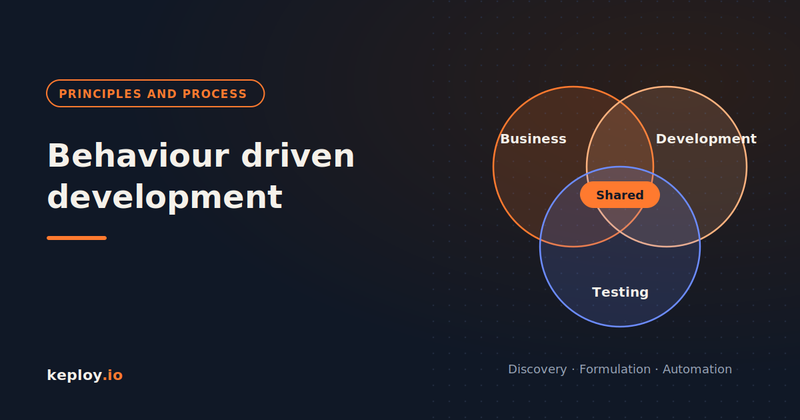
Bring together three perspectives: business (a product owner or analyst), development and testing. Spend 25 to 30 minutes on the story using example mapping.
- Put the story on one card at the top.
- Write each business rule on its own card underneath.
- Add at least one concrete example under every rule.
- Park anything nobody can answer on a separate question card.
For the discount code story, the rules might look like this:
- A valid code reduces the order total by its percentage.
- An expired code is rejected with a clear message.
- Only one code can be applied per order.
- Codes cannot reduce the total below zero.
Each rule now has examples the whole team agreed on, before a single line of code exists. That alone prevents most of the rework BDD is known for removing.
Step 4: formulate the examples as Gherkin scenarios
After the session, a developer or tester turns the examples into a .feature file. Keep the steps declarative, describing what happens rather than which buttons get clicked.
Feature: Discount codes at checkout
  As a returning customer
  I want to apply a discount code at checkout
  So that I pay the promotional price

  Background:
    Given a cart with a subtotal of 100.00

  Scenario: Valid code reduces the total
    When the customer applies the code "SAVE20"
    Then the order total should be 80.00

  Scenario: Expired code is rejected
    When the customer applies the code "SUMMER23"
    Then the customer should see the error "This code has expired"
    And the order total should be 100.00

  Scenario: Only one code per order
    Given the code "SAVE20" is already applied
    When the customer applies the code "WELCOME10"
    Then the customer should see the error "Only one code can be used per order"
Share the file with the product owner before automating it. If they cannot read it and confirm it matches the conversation, rewrite it until they can.
Step 5: automate the scenarios
Developers now write step definitions that connect each Gherkin step to code. The usual flow follows a red, green, refactor rhythm:
- Run the scenario and watch it fail, because the feature does not exist yet.
- Write just enough application code to make it pass.
- Refactor the code and the steps while the scenario stays green.
Where possible, automate at the API level rather than through the browser. API scenarios run faster, fail less often for unrelated reasons, and test the same business rules. Save browser automation for a small set of critical end-to-end journeys.
Step 6: run scenarios in CI and treat them as documentation
Add the BDD suite to your CI pipeline so it runs on every build. Use tags to keep feedback fast:
-
@smokescenarios on every commit -
@regressionscenarios on every merge to the main branch - The full suite before each release
When a business rule changes, update the scenario first, then the code. This keeps the feature files accurate, which is what makes them living documentation instead of another stale spec.
Step 7: review, measure and expand
After two or three sprints, hold a short retrospective on the BDD pilot. Useful questions include:
- Did the Three Amigos sessions surface issues earlier than before?
- Did fewer bugs come back from QA or production for these features?
- Can the product owner read and trust the feature files?
- Are the scenarios slow, flaky or duplicated anywhere?
If the answers are mostly positive, expand BDD to the next team and share the scenarios you wrote as examples. If not, the most common fix is more business involvement in discovery, not more automation.
Common mistakes to avoid
- Skipping discovery. Writing Gherkin without the conversation turns BDD into extra syntax on top of ordinary tests.
- Imperative steps. Scenarios full of clicks and field names break with every UI change.
-
One giant scenario. If a scenario has several
Whensteps, split it into one behavior per scenario. - Trying to cover everything. BDD covers key business behaviors. It does not replace unit, integration or regression tests.
Filling the regression gap BDD leaves behind
BDD is designed to define and verify intended behavior. It is not designed to capture every request, payload and dependency interaction your real users generate in production. Writing scenarios for all of that by hand would make your suite slow and impossible to maintain.
Keploy handles that part for APIs. It records real API traffic and turns it into test cases, with mocks for databases and downstream services, so you get regression coverage based on actual usage without writing test code. Your team keeps BDD for new behavior and lets Keploy protect what already works.
Frequently asked questions
How long does it take to adopt BDD?
Most teams see the benefits of discovery within the first sprint. Getting comfortable writing good scenarios and maintaining an automated suite usually takes two to three months.
Who should write the Gherkin scenarios?
Developers or testers usually write them after the Three Amigos session. The product owner reviews them to confirm they match what was agreed.
Do we need a specific tool to start BDD?
No. You can run discovery sessions with index cards or a whiteboard. Tools like Cucumber, Behave, pytest-bdd or Reqnroll come in when you automate the scenarios.
Can we use BDD and TDD together?
Yes. Many teams use BDD scenarios to define features at the acceptance level and TDD to build the code underneath them.
What if our product owner does not have time for discovery sessions?
Start with short sessions on the highest-risk stories only. If business stakeholders cannot commit any time, BDD will deliver limited value, and that is worth raising early.
Conclusion
Implementing BDD well is mostly about sequence. Start small, have the conversations first, write declarative scenarios, automate them at the API level, and keep them running in CI. Expand only once the pilot team sees fewer misunderstandings and fewer surprises.
Want regression coverage to sit alongside your BDD suite? See how Keploy generates API tests from real traffic.






Top comments (0)